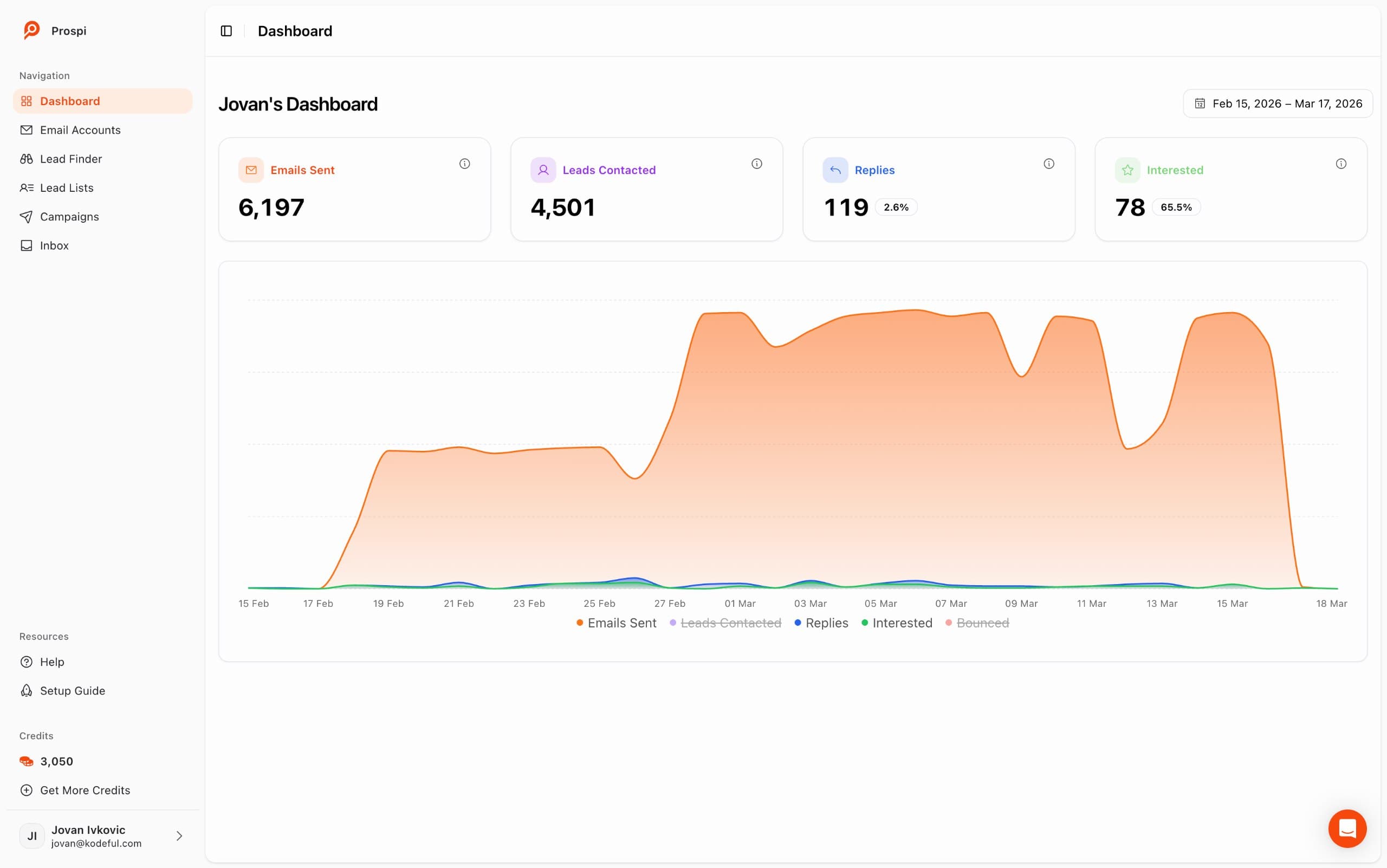

What is email warmup and why does it matter?
Email warmup is the process of gradually increasing sending volume on a new or dormant email account to establish a positive sending reputation before launching cold campaigns. According to Validity's 2025 Deliverability Benchmark Report, senders who skip warmup see up to 40% lower inbox placement rates compared to properly warmed accounts. Without warmup, even a perfectly written email from a brand new account will land in spam.
Here is why: email providers like Gmail and Outlook do not know you yet. When a new account sends emails, algorithms flag the activity as potentially suspicious - because spammers also use new accounts. The only way to prove you are a legitimate sender is through time and engagement. Warmup creates that engagement artificially, using a network of real inboxes that receive your emails, open them, read them, reply, and move them out of spam if they land there.
Think of it like a credit score. You cannot get approved for a mortgage with zero credit history, even if you have a perfectly stable income. You need months of responsible borrowing before lenders trust you. Email reputation works the same way - except with warmup tools, you can build that history in 14-28 days instead of years.
For anyone running cold email campaigns, this is not optional. Our complete cold email deliverability guide covers the full infrastructure picture - warmup is one piece, but authentication (SPF, DKIM, DMARC) and list hygiene matter equally. Miss any one of them and your inbox placement suffers.
How long does email warmup take?
Most email accounts are ready for full cold outreach after 21-28 days of warmup, though a limited amount of cold sending can begin after day 7-10. A study of sending patterns across thousands of warmed accounts shows that accounts reaching the 28-day mark have significantly better long-term inbox placement than those that rushed the process in 14 days or less.
Several factors affect how long warmup takes for your specific situation:
A brand new domain (registered in the last 30 days) requires the full 28-day warmup and should be treated with extra care. A domain that has been sending legitimate email for 6+ months can often be warmed faster, in 14-21 days, because it already has some positive reputation signals in email provider databases.
Google Workspace and Microsoft 365 accounts generally warm up faster than other providers because of their established infrastructure. Generic SMTP providers or custom mail servers start with less implicit trust and may need the full 28 days or more before they can safely handle volume cold sending.
If your target is 20-30 cold emails per day per account, you can reach that comfortably by day 14-18. If you want to send 40-50 per day, plan for a full 28-day warmup. Never try to exceed 50 cold emails per day per account regardless of warmup status - the risk to deliverability is not worth it.
If this is an account that previously had deliverability problems - high bounce rates, spam complaints, or was suspended - you need to treat it like a completely fresh account and may need to warm it for 35-40 days before it regains full trust. In some cases, starting with a fresh domain is faster than trying to recover a damaged one.
The most common mistake is impatience. Sales teams spin up new accounts and start sending 50+ emails on day three because they are eager to hit pipeline targets. This almost always backfires - the account gets flagged, emails go to spam, and the team loses two to four weeks while they fix the problem. Patience during warmup pays off in months of reliable inbox placement.
What happens during the warmup process?
During warmup, a software system sends your account emails to and from a network of real, active inboxes. These inboxes automatically engage with your messages - opening them, reading for a measured time period, replying, and moving any that land in spam back to the primary inbox. According to Mailmodo's deliverability research, positive reply signals are the single strongest indicator of inbox trustworthiness in Gmail's filtering algorithm.
Day-by-day warmup schedule
Here is the exact warmup schedule that Prospi follows automatically for every connected account. The cold email columns represent safe maximum limits - always stay at or below these numbers:
| Day Range | Warmup Emails / Day | Cold Emails / Day | Phase |
|---|---|---|---|
| 1-3 | 5-10 | 0 | Signal establishment |
| 4-7 | 10-20 | 0 | Reputation building |
| 8-10 | 20-25 | 5 | First light sends |
| 11-14 | 25-30 | 10 | Early campaigns |
| 15-21 | 30-35 | 20-30 | Scaling up |
| 22-28 | 30-40 | 35-45 | Near full capacity |
| 28+ | 20-30 | 40-50 | Ongoing maintenance |
Notice that warmup emails continue even after day 28. This is intentional. Cold campaigns produce naturally lower engagement signals - people do not open every email, rarely reply, and sometimes mark messages as spam. Ongoing warmup counterbalances these signals by feeding a constant stream of high-engagement activity (opens, replies, inbox rescues) back to Gmail and Outlook's algorithms.
The warmup emails themselves are written to look like real conversations - short, natural subject lines, varied content, randomized send times throughout the day. Modern warmup networks use thousands of real accounts across different domains and providers so the engagement patterns look genuinely organic.
What are common warmup mistakes to avoid?
The majority of deliverability problems we see at Prospi trace back to a small set of warmup mistakes. Postmark's email reputation research shows that 63% of new sender deliverability failures are caused by premature high-volume sending - the exact mistake that proper warmup prevents.
Another mistake worth calling out separately: using warmup tools without also configuring proper DNS authentication. Warmup cannot compensate for missing SPF, DKIM, or DMARC records. If your authentication is broken, warmup will slow the damage but will not prevent it. See our SPF, DKIM, and DMARC setup guide for step-by-step instructions, then verify using free tools like MXToolbox or Dmarcian's DMARC inspector before you start warming.
Can you send cold emails during warmup?
Yes - but timing and volume limits matter enormously. Research from Litmus's deliverability research recommends waiting a minimum of 7-10 days before sending any cold emails from a new account. During the first week, your account has no positive signals to counterbalance the lower engagement typical of cold outreach.
After day 7-10, you can begin sending cold emails at low volume - 5-10 per day maximum. Keep these early cold sends hyper-targeted: the better your list quality and personalization, the higher the engagement rate, which helps rather than hurts your reputation. Sending to a generic, unverified list while warming is the worst possible combination. For the full breakdown of safe sending volumes and how to scale across multiple accounts, see our guide on how many cold emails per day are safe.
A few rules to follow when sending cold emails during warmup:
If you are running multiple accounts in rotation - which is best practice for scaling cold outreach - stagger the warmup start dates so you always have at least some fully warmed accounts available while others are still in the early phase. Prospi's AI personalization automatically prioritizes your best-performing, most-warmed accounts for new campaign sends.
How does Prospi handle warmup automatically?
Prospi starts warmup automatically the moment you connect an email account - no configuration required. The system follows a pre-set schedule optimized from data across thousands of warmed accounts, adjusting dynamically based on your specific provider and domain age. Customers who set up Prospi and do nothing else achieve 96%+ inbox placement rates within 30 days - read Prospi reviews on Trustpilot to see real results. See the full feature set on our pricing page.
Prospi manages the entire warmup schedule - volume ramps, send timing, content variation - without any manual input. You connect an account and the system takes over. Most other platforms require you to configure warmup schedules manually or monitor them daily.
Many warmup tools show you a health score but do not actually tell you whether your emails are landing in inbox or spam. Prospi monitors real inbox placement using seed accounts across Gmail, Outlook, and Yahoo - if your placement drops, you get an alert before campaigns are affected.
Prospi runs warmup continuously in the background throughout your campaigns, not just during initial setup. This is the key reason Prospi customers maintain high inbox placement even after months of active sending - the warmup signals never stop.
When you connect an account, Prospi automatically checks SPF, DKIM, and DMARC status and flags any missing records. Warmup without authentication is dramatically less effective - fixing both at the same time is the correct order of operations.
When compared to manual warmup or other tools, the biggest difference is zero ongoing effort. With manual warmup, you track scores, adjust send volumes, monitor deliverability, and pause campaigns when things look off. That process works - it is just time-consuming and easy to drop. Automated warmup removes the human dependency entirely.
For a detailed comparison of how warmup tooling differs across platforms, see our Prospi vs Instantly comparison - warmup quality and monitoring is one of the key differentiators. You can also use our free deliverability tools to check your current inbox placement before committing to a platform change.
Email warmup checklist
Use this checklist before launching any cold email campaign. Every item should be checked before your first send - not after you notice deliverability problems.
Frequently Asked Questions
Email warmup is the process of gradually increasing the sending volume of a new email account to build a positive sending reputation with email providers like Gmail and Outlook. It works by sending a controlled number of emails that are opened, read, and replied to by a network of real inboxes. These engagement signals establish trust so that when you start sending cold campaigns, your emails reach the primary inbox instead of spam.
Email warmup typically takes 14 to 28 days for a new account to be ready for cold outreach at scale. In the first week you should send no more than 5-15 warmup emails per day. By week two you can begin sending a small number of cold emails (5-10/day) alongside 20-30 warmup emails. Full capacity of 40-50 cold emails per day is reached around day 22-28. Warmup should continue running indefinitely alongside your campaigns - not just during the initial period.
Yes, but only in limited volumes and not before day 7-10. During the first week of warmup, sending any cold emails is risky because the account has no established reputation and a spam complaint could derail the entire process. After 7-10 days of warmup, you can start with 5-10 cold emails per day and gradually scale. Always keep cold email volume lower than your warmup email volume during the warmup period.
Skipping warmup and sending cold emails from a brand new account will almost certainly result in your emails landing in spam. Email providers treat new, unproven senders with maximum suspicion. If you send 50-100 cold emails from a new account on day one, you risk being flagged as a spammer, having your account suspended, and permanently damaging the reputation of your sending domain - which can take months to recover from.
Yes. Ongoing warmup is strongly recommended even after the initial warmup period is complete. Cold emails generate lower engagement signals than warm emails (lower open rates, fewer replies, more unsubscribes). Keeping warmup running in the background counterbalances these negative signals and protects your sending reputation over time. Most platforms, including Prospi, run warmup continuously at 20-30 emails per day even during active campaigns.